Loading mods on a dedicated server#
Where do I put the mod?#
-
Navigate to the T4 Plutonium Folder by pressing
Win+Rand pasting%localappdata%\Plutonium\storage\t4into it, and hitting Ok. -
Create a folder called
mods
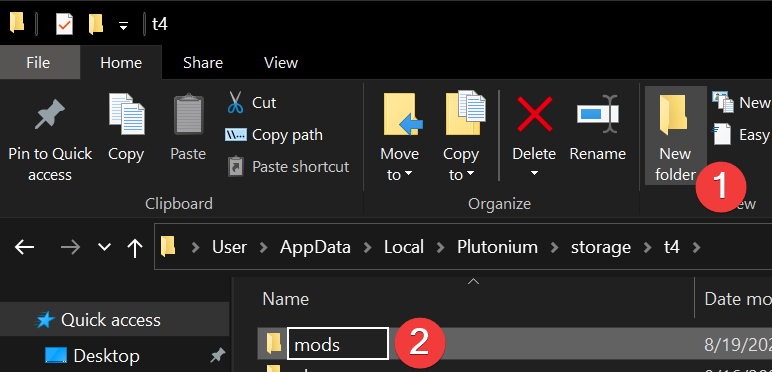
- Place any mods in that folder.
{/*
We support both the vanilla game folder and the Plutonium folder for mod loading.
You can place your mod in either of these places:
-
%localappdata%\Activision\CoDWaW\mods -
%localappdata%\Plutonium\storage\t4\mods*Recommended*
*/}
Editing your start.bat file#
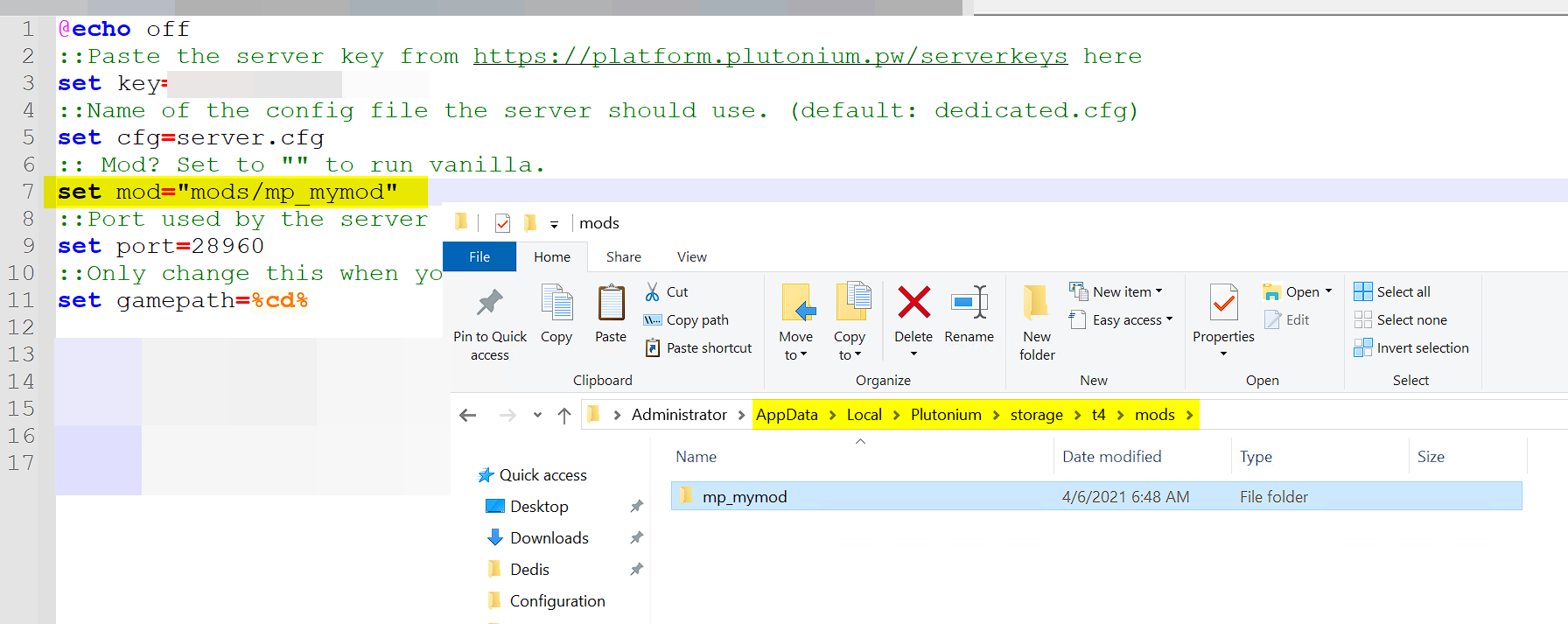
Next, open your server's start.bat file and edit the line that says set mod="" to add your mod. For example, if your mod is called mp_mymod that line should say: set mod="mods/mp_mymod"
Loading Custom Maps (MP)#
-
Navigate to the T4 Plutonium Folder by pressing
Win+Rand pasting%localappdata%\Plutonium\storage\t4into it, and hitting Ok. -
Create a folder called
mods
- Place any custom maps in that folder.
{/*
We support both the vanilla game folder and the Plutonium folder for loading custom multiplayer maps.
You can place your mod in either of these places:
%localappdata%\Activision\CoDWaW\usermaps
%localappdata%\Plutonium\storage\t4\usermaps *Recommended*
*/}
Once the map is in the correct place, edit your server configuration to use it in your map rotation, and if you aren't already running a mod, set one in your start batch file. (Example: set mod="mods/mp_custommaps")
Note: If you don't have any mods and just want to load custom MP maps, loading a blank/dummy mod like above works just fine.
Setting up FastDL#
If you want to setup FastDL (recommended) to allow players to download your mod quicker, see Setting up FastDL.